Melvor Idle 2 Interface and Quality of Life
The sidebar, tooltips, quick-equip and the small features that make long sessions easier.
Melvor Idle 2 has a new interface, and the launch patch changed some of it based on demo feedback. This page covers the sidebar, the tooltips, the bank and the small features that make long sessions easier.
The Legacy Sidebar
The demo feedback asked most often for a sidebar that shows all skills and their levels in one place. The launch patch brought back a Melvor Idle 1 style sidebar and turned it on by default.
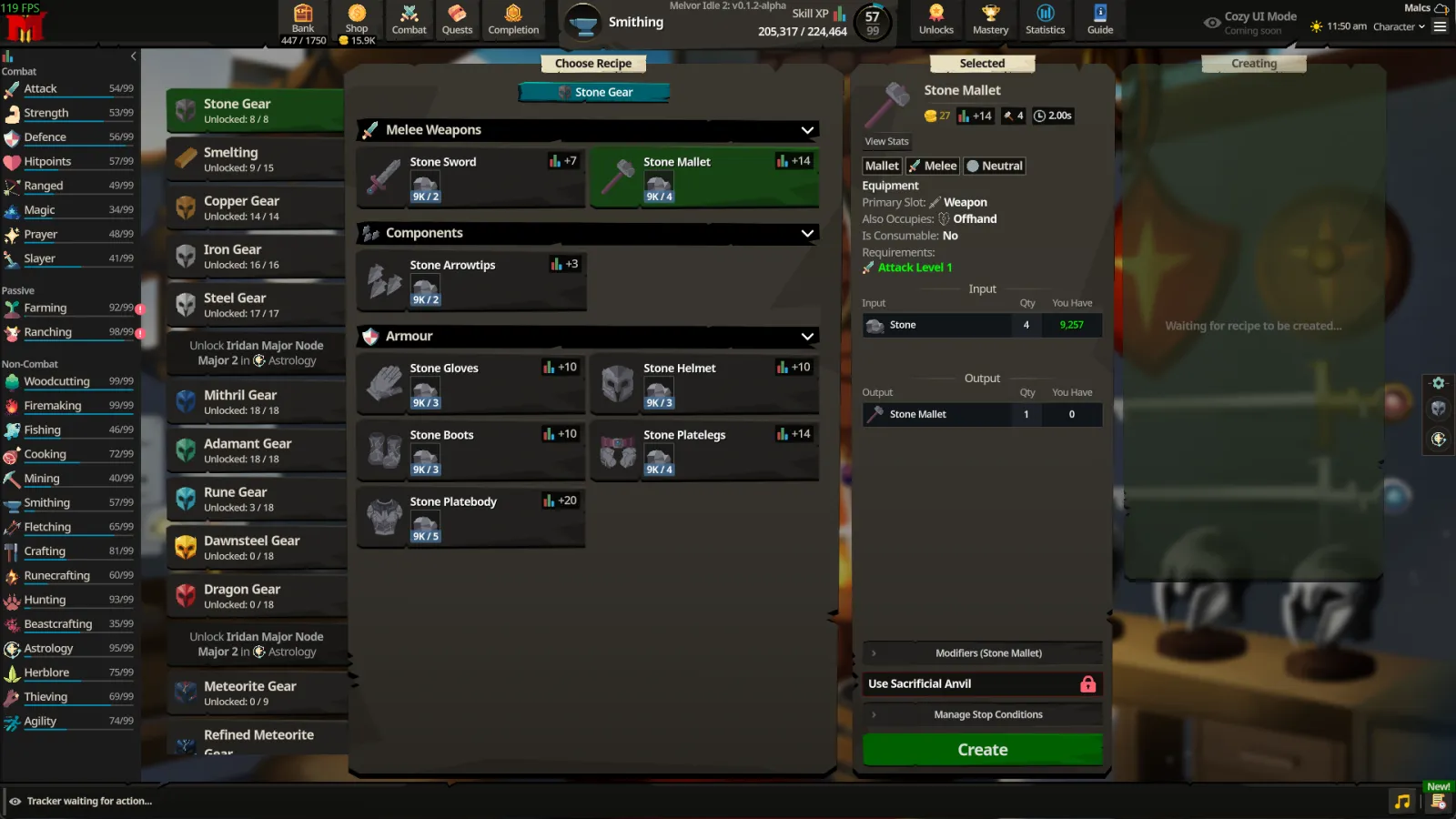
- Skills are grouped under Combat, Passive and Non-Combat.
- The sidebar can be collapsed.
- Skills you are training, and combat skills in training, are highlighted green.
- The original Melvor Idle 2 sidebar is still available under Settings, then Interface.
Item tooltips and comparison
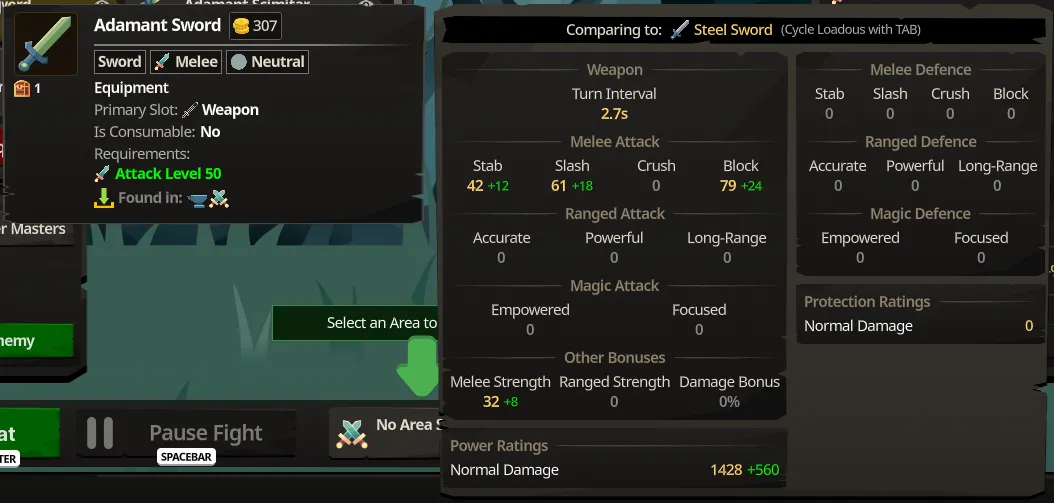
Equipment tooltips show an item's stats and compare them with your current combat loadout. Pressing TAB cycles the comparison. The developers warned that very large tooltips can behave oddly in some cases.
Quick-equip
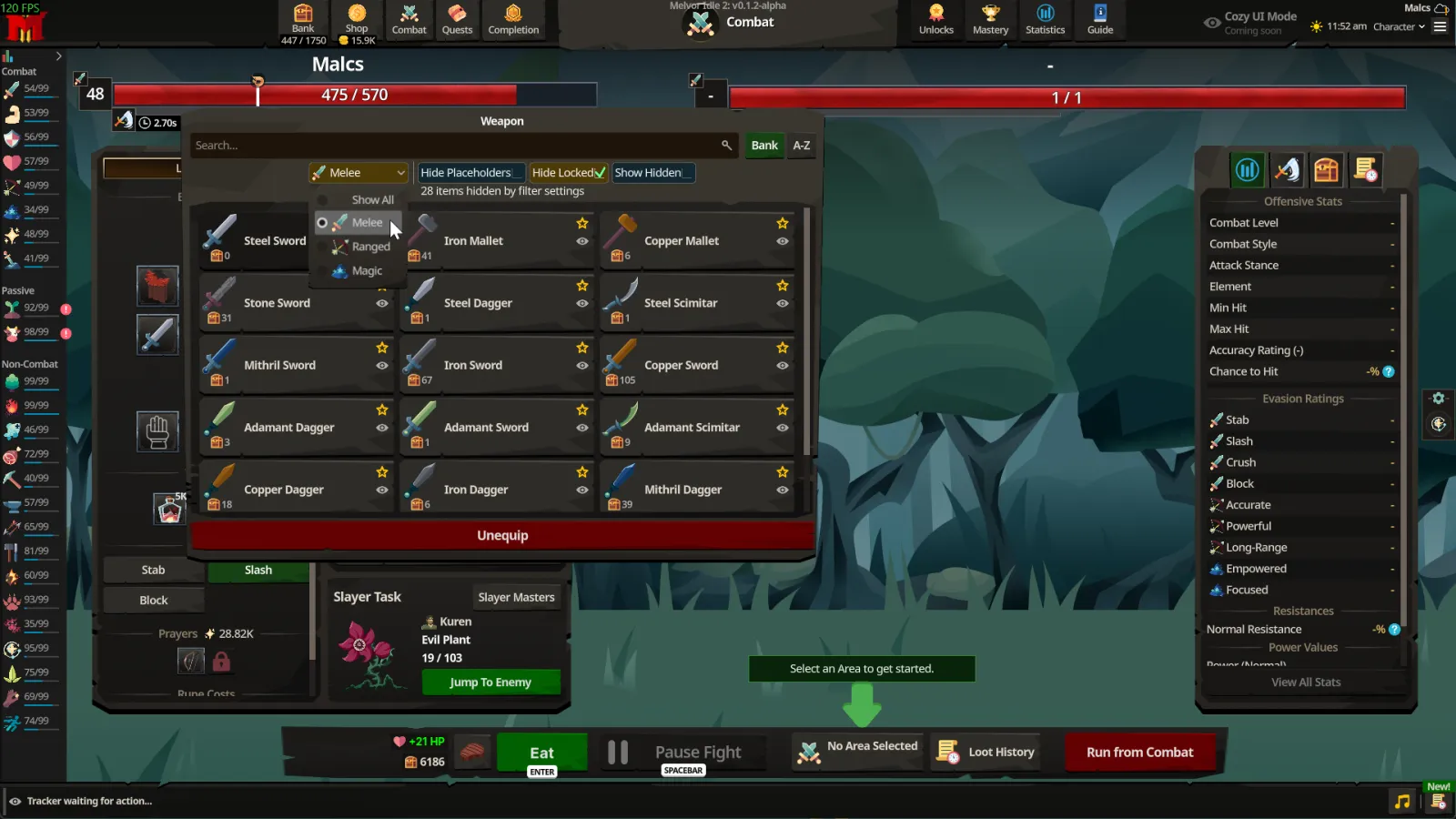
Weapon quick-equip can filter by combat style. It defaults to the style of the weapon you already have equipped, and the popup is larger than before.
Bank, equipment and shortcuts
According to the developers' reveal and the Steam page:
- The bank and equipment screens have placeholders, keyboard shortcuts, item tagging and named bank tabs.
- Equipment loadouts can be named.
- Enter eats food and Spacebar pauses combat.
- Drop rates are visible.
Tracker and event log
A bar at the bottom of the screen tracks your current action. It shows live rates per hour for experience, items used and gained, and combat stats, plus the time to your target level or until a resource runs out. The event log records notifications, milestones, item unlocks, offline progression breakdowns and skills that need attention.
Codex
The in-game Codex is a searchable reference for content and mechanics. The developers list "Item Uses and Sources" as a Codex feature still coming before version 1.0.
Other small changes at launch
- A tutorial skip option at character creation and in the pause menu unlocks all skills and pages.
- A top-right menu can rename your character, copy your save string and show character stats.
- A "Reach Level" stop condition was added.
- Unmet conditions show in grey and met conditions in green.
- Unsupported skill page buttons are disabled instead of hidden.
- Tutorial popups no longer close when you click outside them.
- The developers also list "Cozy UI Mode" as coming soon.
Related pages
See the launch patch notes for the full list and Melvor Idle 2 vs Melvor Idle.
Quick answers
Does Melvor Idle 2 have the old sidebar?
Yes. The launch patch added a Melvor Idle 1 style Legacy Sidebar and turned it on by default. You can switch under Settings, then Interface.
Can I compare equipment?
Yes. Item tooltips compare against your current combat loadout, and TAB cycles the comparison.
Can I skip the tutorial?
Yes. A skip option is on character creation and in the pause menu.
Facts come from the Steam page and the official posts on news.melvoridle.com, checked November 17, 2026. We are not affiliated with Games by Malcs, Jagex or RuneScape, and the game can change.